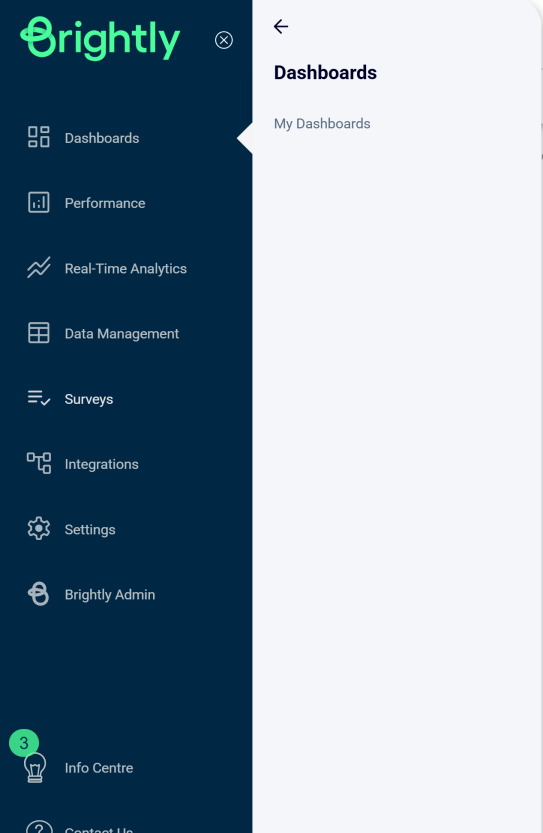
Stream Navigation Menu
The navigation menu for Stream is designed to provide users with easy access to various features and tools. Collapsed by default, users can expand the menu to read each icon’s description. Below is a detailed description of each section.
| Feature | Description |
|---|---|
| Dashboards |
Assess the performance of your buildings key performance indicator. This menu includes:
|
| Performance |
View and analyze all aspects of your buildings’ performance. This menu includes:
|
| Decarbonization |
Define your Energy Conservation Measures and Pathways and assess their impact. This section includes:
|
| Real-Time Analytics |
Analyze the interval data generated by your smart meters and sub-meters in real time. This section includes:
|
| Data Management |
Upload and view your buildings data including bill summary, certifications, waste, vacancy and other type of documents. This section includes:
|
| Surveys | Manage the surveys used to collaborate with your team and collect the data required for your various programs. |
| Integrations |
Manage the connections with third-party integration. This section includes:
|
| EMS (Environmental Management System) | Manage your environment cases and reporting. |
| Settings |
Configure and manage your organization and sites. This section includes:
|
Navigation Menu User Interface